Small offices collect things from people outside the team all day: a signed engagement letter before work starts, last year’s tax return, a copy of a photo ID, a W-9 from a new vendor, answers to an onboarding questionnaire, approval on a proof. Each is a small ask that quietly delays the real work.
Chase It Down For Me lets you send that ask once, give the client a simple personal link, and let the reminder happen on its own. You get an email when they finish, and the client never needs a login.

Why client follow-up eats your week
Nobody likes writing the third reminder email. It feels awkward, so it gets put off, and the project slips. Meanwhile the details of who owes what live in individual inboxes.
Client portals can help, but many clients will not log into yet another portal to upload one document.
The fix: A chase is a single link with a single ask. The client opens it, uploads or answers, and is done. If they forget, an automatic reminder goes out two days later.
Checklist: what you can collect
Each item below is its own chase type. Mix and match through the year.
-
Engagement letters and approvals Signature
Clients type their name to approve a scope, estimate, or proof. For contracts that need a certified e-signature, keep using your e-signature tool.
-
Tax documents and statements Upload
W-2s, 1099s, bank statements, or receipts uploaded as PDF or photo, up to 10 MB each.
-
Vendor W-9 forms Upload
Ask a new vendor for their W-9 before the first payment goes out.
-
Client onboarding questionnaires Form
Business name, contacts, goals, and preferences in a short form.
-
ID copies and proof of address Upload
When your process requires them, clients upload a photo instead of emailing attachments.
-
Invoice and retainer payment links Payment link
Link to the invoice or payment page you already use. Clients pay there and mark it paid. We never hold money.
-
Year-end document checklist Checklist
List everything you need for year-end, and the client checks off each item as they send it your usual way.
-
Meeting and workshop RSVPs RSVP
Free yes or no RSVPs for a client workshop or office open house.
More ways to use a chase
Hypothetical examples to get you started. Adjust the wording to sound like you.
Signature
Approve the project scope
Sent to: A client contact
Subject: Please approve the project scope
“The scope we discussed is summarized below. Please type your name to approve it so we can schedule the work.”
Why it works
A typed-name approval, useful for simple sign-offs.
Upload
Vendor W-9 before first payment
Sent to: Three new vendors
Subject: W-9 needed before we can pay you
“Please upload a completed W-9 so we can set you up in our payment system.”
Why it works
Each vendor tracked separately.
From ask to done
-
Monday
Send the ask
Create the chase and add the client.
-
Monday
Client gets one link
No portal and no password.
-
Wednesday
Automatic reminder
Sent only if they have not finished.
-
When done
You are notified
An email lets you know it came in.
-
Next
Back to the real work
No follow-up emails to write.
How follow-up works for small offices
Every chase has its own Reminder & notification settings, whether you are asking one person or two hundred.
Personal links, no accounts
Each person gets their own link by email. They answer on a phone or computer without creating an account or remembering a password.
Reminders you control
Reminders can be off, every day, every other day, every 3 days, every week, or a custom number of days. New chases default to first after 2 days, every 2 days, max 3. Stop after a max count, on a date, or at the event date. Anyone who responds is skipped.
Owner notices
Get email when someone responds, when everyone is done, or if people still have not answered after N days. Optional daily digest and last-call reminder. The chase page always shows done of total.
Reminders and quiet hours
Reminders go out by email on every plan. Texting is available on Pro and Enterprise. Texts go only to mobile numbers you provide, each text starts with “Chase It Down For Me:”, and anyone can reply STOP to opt out. Quiet hours default to daytime in America/Chicago. Older chases keep one reminder after 2 days until you edit them.
Plans: Basic is free for one person and 10 chases a month and stays email only. Pro and Enterprise add a shared organization, higher chase limits, and texting. See pricing. We never hold or move anyone’s money.
Good habits that get faster answers
Ask for one document per chase
Uploads accept one file per person per chase. If you need three documents, send three short chases so each is tracked.
Say why you need it
“So we can file your extension by April 15” gets a faster response than “please send.”
Use the client’s first name in the title
A clear title helps you find the chase later and reassures the client the email is from you.
Keep sensitive data in the right place
Upload chases are fine for documents. Do not ask clients to type full account numbers or Social Security numbers into a form field.

Before and after a chase
| Task | Without a chase | With a chase |
|---|---|---|
| Collecting documents | Attachments scattered across email threads | One chase per document, with the upload on the chase page |
| Approvals | “Looks good” buried in a reply-all | A typed-name approval tied to the scope |
| Following up | Writing reminder emails by hand | Automatic reminders after two days |
| Seeing what is outstanding | Searching each inbox | Done of total on every chase |
Questions from small offices
Is the signature legally binding?
A signature chase records a typed name. It works for simple approvals and acknowledgments. For contracts that require a certified e-signature, use a dedicated e-signature service.
Can clients upload more than one file?
Each person can upload one file per chase. For multiple documents, send a chase for each, or ask for a combined PDF.
Do you integrate with my accounting software?
Not today. Chases stand on their own. You link to whatever invoice or payment page you already use.
Do clients need an account?
No. They use a personal link from the email. Only your team member who creates the chase has an account.
Can I send reminders by text?
Yes. Email works on every plan. Basic stays email only. Texting is available on Pro and Enterprise. Texts go only to mobile numbers you provide for people who agreed to receive them, each text starts with “Chase It Down For Me:”, anyone can reply STOP to opt out, and quiet hours default to daytime in America/Chicago.
More answers on the main FAQ page.
Related industries
Groups like yours often chase the same kinds of things. See how they use it.
-

Contractors
Estimates sit unsigned and deposits sit unpaid. A chase reminds the client until that step is done.
-
Medical and dental offices
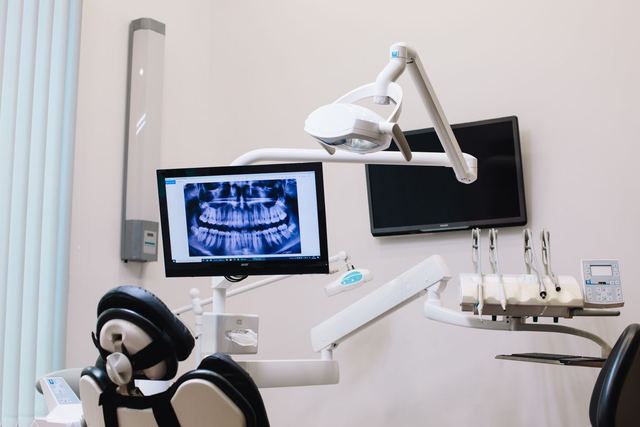
Offices need intake forms back, and sometimes a balance paid through a link you already send.
-

Property managers
Residents owe a form, a signature, or a fee. A chase reminds the ones who have not finished.
Stop writing “just following up”
Set up your first client chase in a few minutes. The people you chase never need an account, and we never hold their money.