
Church offices handle a surprising amount of paperwork. Youth group trips need permission forms and a deposit. The nursery needs allergy information. Volunteers who work with children often need to give consent for a background check. And every potluck, retreat, and work day needs a headcount.
Bulletin announcements and pulpit reminders reach the people who are in the room that Sunday. A chase reaches each person directly by email with a personal link, and keeps track of their answer so nobody has to keep a list on the back of an envelope.
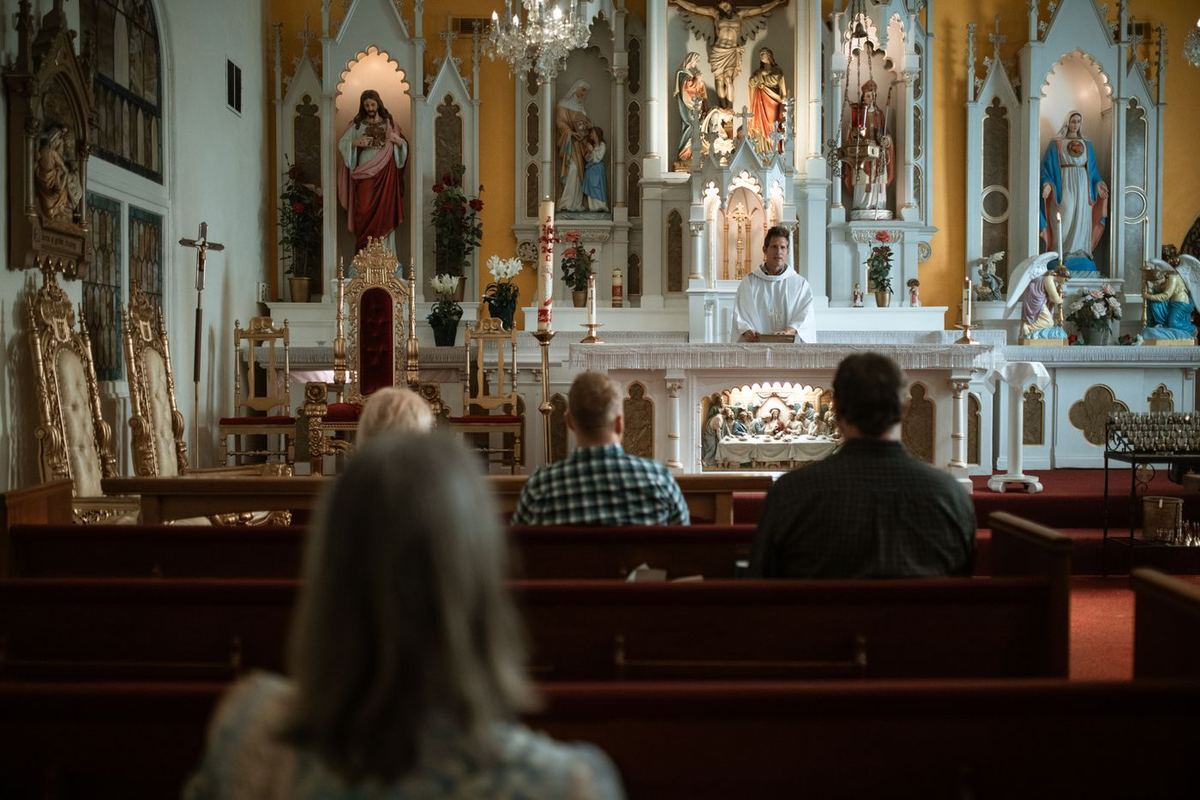
Why church follow-up stalls
Most church asks are voluntary, and nobody wants to sound pushy with a member of the congregation. So the reminder goes out once, a third of people answer, and the rest slip through until the week of the event.
Staff and lay leaders are often part time. The person who sent the retreat signup is also planning worship, visiting members, and running the food pantry.
The fix: A chase sends a polite, specific ask and gentle reminders to the people who have not answered yet. You get a quiet notice when someone responds, and the list updates itself.
Checklist: what you can collect
Each item below is its own chase type. Mix and match through the year.
-
Potluck, retreat, and event headcounts RSVP
A free yes or no RSVP so the kitchen team knows how many to plan for.
-
Volunteer role signups Form
Ask which Sunday or which role someone can cover: greeter, ushers, coffee, nursery, or tech booth.
-
Nursery and children’s ministry info Form
Allergies, emergency contacts, and pickup permissions in a short form parents fill in once.
-
Youth trip permission forms Signature
Parents type their name to give permission for a mission trip, lock-in, or summer camp outing.
-
Trip deposits and retreat fees Payment link
Link to the giving or payment page your church already uses. Families pay there and mark it paid. We never hold the money.
-
Volunteer onboarding steps Checklist
Read the child safety policy, complete training, submit background check consent. Volunteers tick each step.
-
Background check consent forms Upload
If your screening provider gives you a PDF consent form, volunteers can upload the signed copy.
-
Photos for the directory Upload
Ask families for a current photo for the church directory or a slideshow, as a JPG or PNG upload.
More ways to use a chase
Hypothetical examples to get you started. Adjust the wording to sound like you.
Signature
Youth mission trip permission
Sent to: Parents of students going on the trip
Subject: Mission trip permission form for your student
“Please read the trip details and type your name below to give permission for your student to attend. Deposit information will follow separately.”
Why it works
A typed-name acknowledgment. Use your own paper process if your insurer requires a wet signature.
Checklist
New children’s ministry volunteer steps
Sent to: Six new volunteers
Subject: Getting ready to serve in children’s ministry
“Thanks for saying yes! Before your first Sunday, please work through the steps below and check each one off as you finish it.”
Why it works
You see exactly which volunteer is stuck on which step.
From ask to done
-
Monday
The office sets up the chase
Choose RSVP, form, signature, upload, checklist, or payment, write a short message, and pick the people.
-
Monday
Members get a personal email
Each person gets a link that only works for them. No account, no password, no app.
-
Through the week
Answers come in
You can get an email each time someone finishes, and the chase page shows done of total.
-
Wednesday
Gentle reminders
Two days after the first email, people who have not finished get a reminder. Everyone else is left alone.
-
Sunday
You know who to ask in person
If a few people still have not answered, you have their names ready for a friendly word after service.
How follow-up works for churches
Every chase has its own Reminder & notification settings, whether you are asking one person or two hundred.
Personal links, no accounts
Each person gets their own link by email. They answer on a phone or computer without creating an account or remembering a password.
Reminders you control
Reminders can be off, every day, every other day, every 3 days, every week, or a custom number of days. New chases default to first after 2 days, every 2 days, max 3. Stop after a max count, on a date, or at the event date. Anyone who responds is skipped.
Owner notices
Get email when someone responds, when everyone is done, or if people still have not answered after N days. Optional daily digest and last-call reminder. The chase page always shows done of total.
Reminders and quiet hours
Reminders go out by email on every plan. Texting is available on Pro and Enterprise. Texts go only to mobile numbers you provide, each text starts with “Chase It Down For Me:”, and anyone can reply STOP to opt out. Quiet hours default to daytime in America/Chicago. Older chases keep one reminder after 2 days until you edit them.
Plans: Basic is free for one person and 10 chases a month and stays email only. Pro and Enterprise add a shared organization, higher chase limits, and texting. See pricing. We never hold or move anyone’s money.
Good habits that get faster answers
Keep the tone pastoral
Write the message the way your pastor or ministry leader would speak to the person. A warm, short ask gets a better response than a policy paragraph.
Separate the permission from the payment
Families can say yes to the trip before they are ready to pay. Two chases keep those answers from getting tangled.
Reuse ministry groups
Save your youth parents, choir, or greeters as groups so the next ask takes a minute to send.
Use the owner notice for time-sensitive asks
If the youth pastor needs to know the moment a form comes in, set the chase to email them when someone finishes.

Before and after a chase
| Task | Without a chase | With a chase |
|---|---|---|
| Event headcount | Sign-up sheet in the lobby that only Sunday attendees see | Everyone on the list gets the ask by email, with yes and no counted for you |
| Volunteer onboarding | Spreadsheet of who finished training, updated by hand | Each volunteer checks off steps and you see where they are |
| Trip permission | Paper forms handed back in the week of the trip | Parents answer from their phone, and you know who is missing weeks ahead |
| Reminders | Another all-church announcement | Reminders only to the people who have not answered |
Questions from churches
Can we use this for tithes and offerings?
We do not process giving. If a chase involves money, you link to the giving or payment page you already use, and the person marks it paid. We never hold funds.
Do members need an account?
No. Members get an email with a personal link and answer there. Only the person sending the chase has an account.
Is this a background check service?
No. We only help you collect the consent form or confirmation your screening provider requires and track who has sent it.
Will people be spammed with reminders?
No. Reminders are set per chase. For new chases they default to first after 2 days, every 2 days, max 3, and go only to people who have not answered. Anyone who finishes is skipped. Quiet hours default to daytime Central Time.
Can we text members?
Yes. Email works on every plan. Basic stays email only. Texting is available on Pro and Enterprise. Texts go only to mobile numbers you provide for people who agreed to receive them, each text starts with “Chase It Down For Me:”, anyone can reply STOP to opt out, and quiet hours default to daytime in America/Chicago.
More answers on the main FAQ page.
Related industries
Groups like yours often chase the same kinds of things. See how they use it.
-

Nonprofits
A nonprofit ask is a pledge form, an RSVP, or a volunteer signup. Chasing follows up without a new account for them.
-

Volunteer groups
Volunteer groups need a yes, a shift, or a waiver. Chasing replaces the personal reminder you would send again.
-

Event planners
Planners wait on RSVPs, vendor forms, and deposits. A chase asks again until that person is done.
Send your next church RSVP in minutes
Start free on Basic with 10 chases a month. Begin with your next event headcount. The people you chase never need an account, and we never hold their money.